Showing posts with label slider. Show all posts

Friday, July 27, 2018

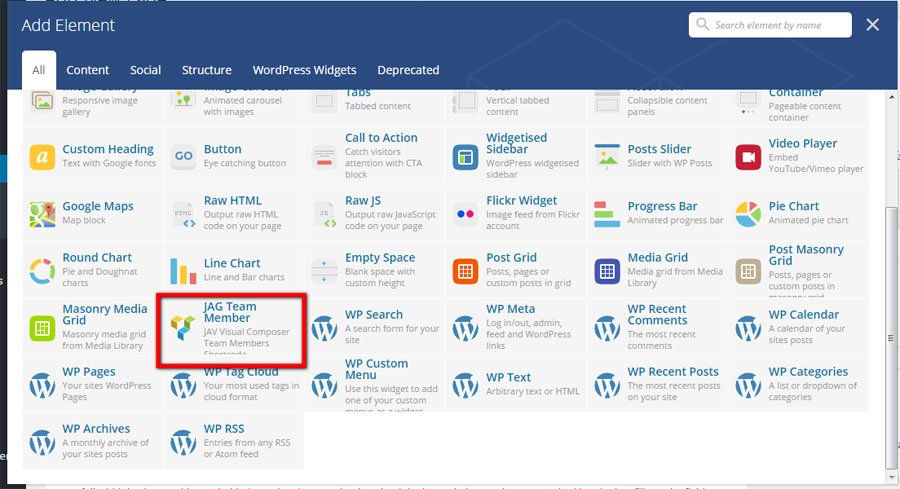
Team Members Addon for WPBakery Page Builder (Visual Composer) (Download)

Visual Composer addon to display team members.


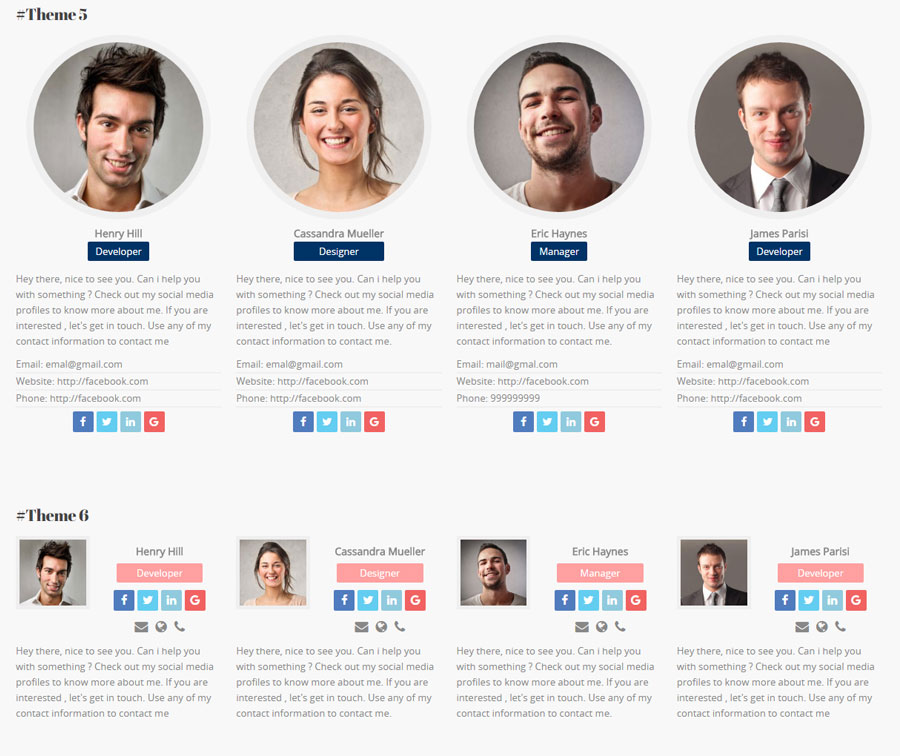
Want to show attractive team member blocks to your website ? Team Member visual composer addon lets you add team member blocks to your website with various options.


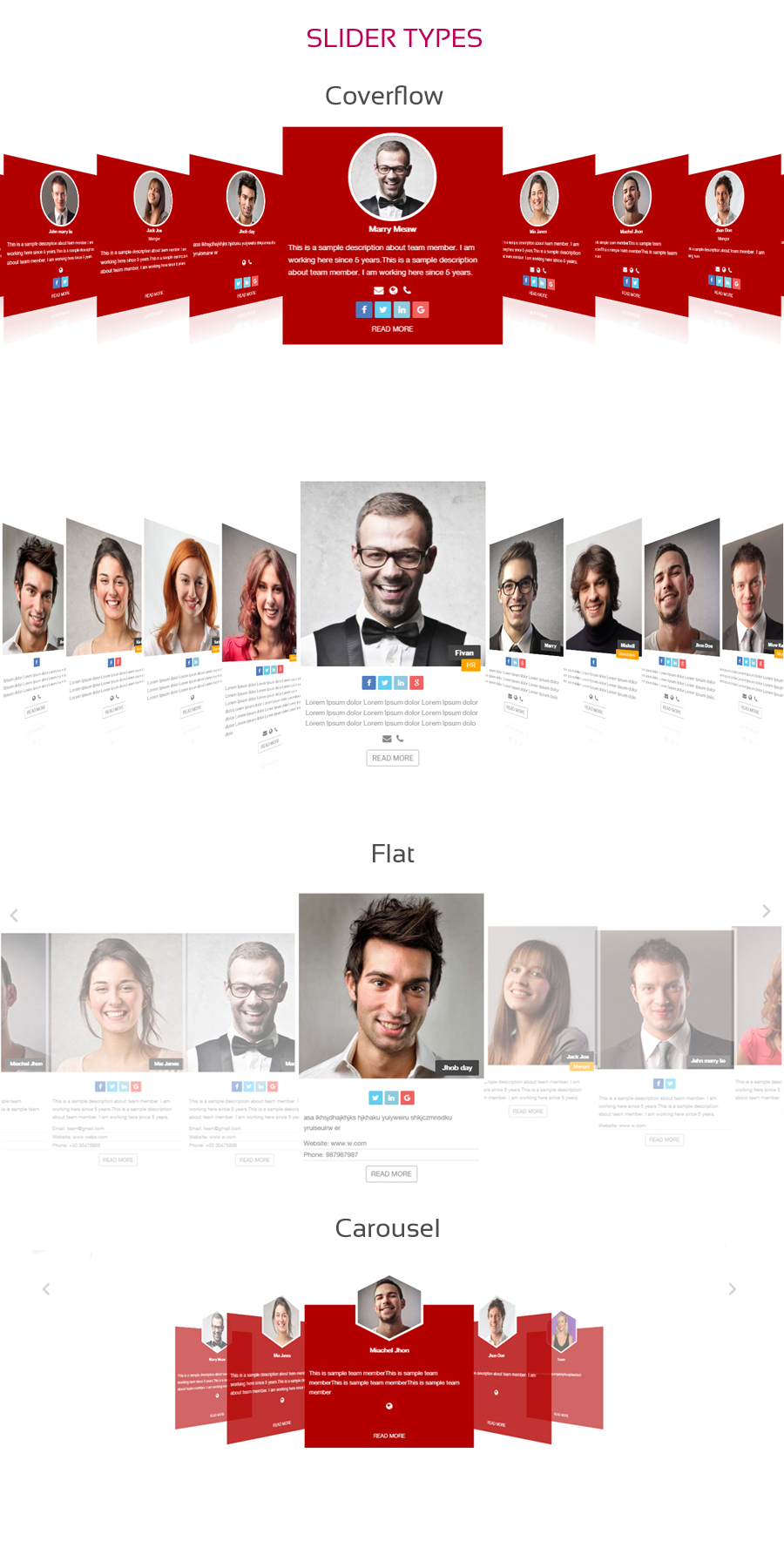
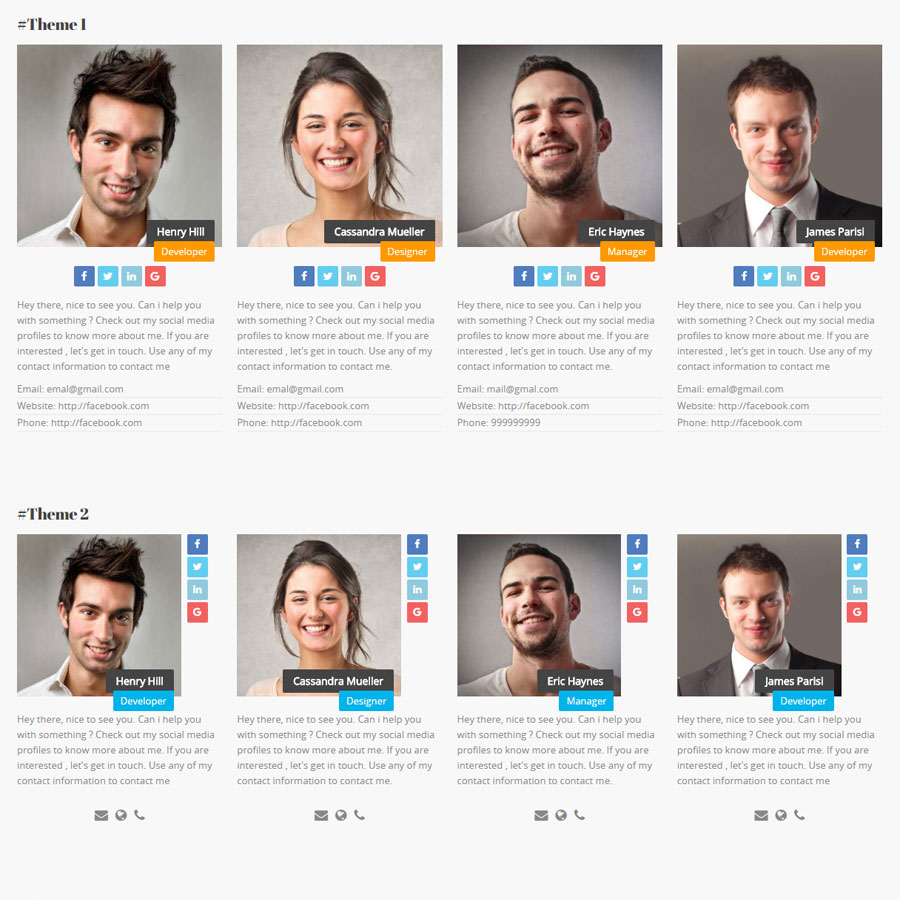
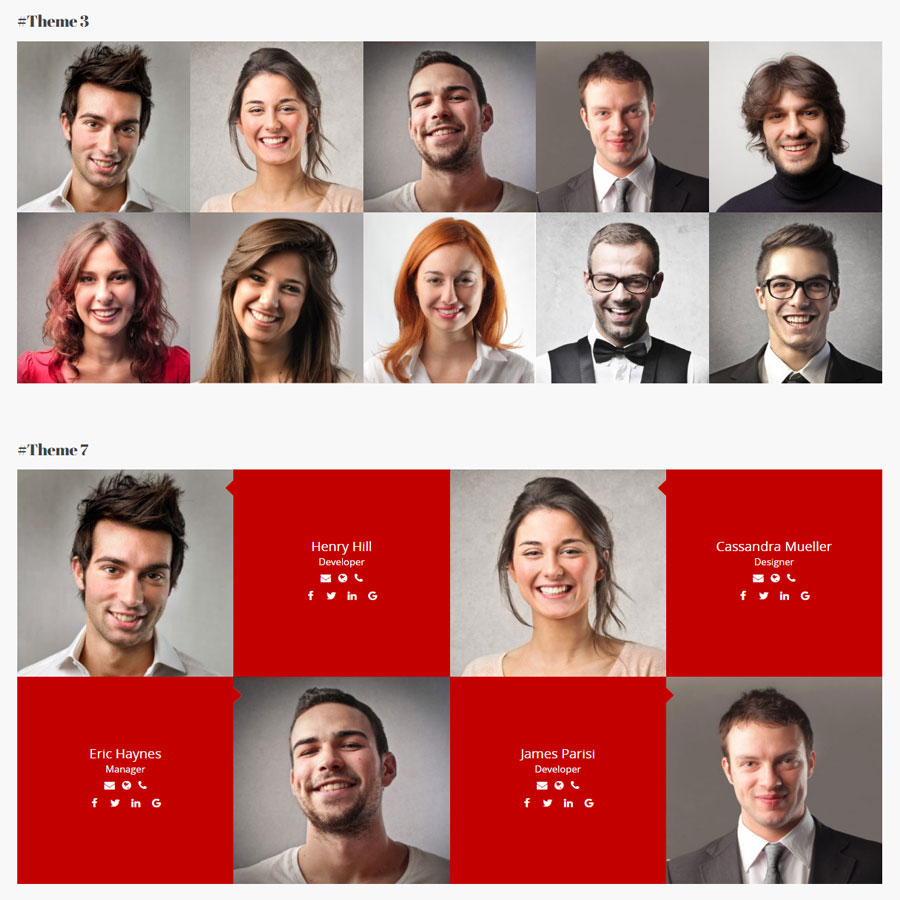
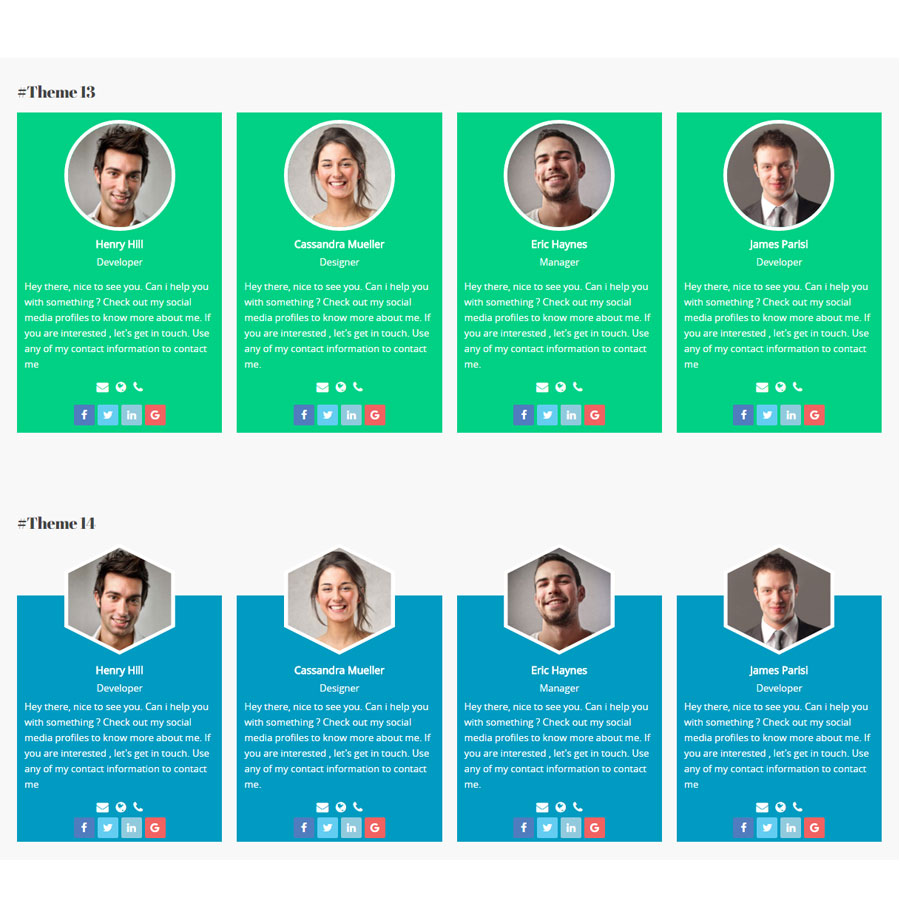
There are 14 different elegant theme designs. You can select any color combination you want. Option to display social media buttons and personal information. Hide/Show social media and personal infromation. Team Members visual composer add on is light weighted as it uses CSS 3 animations. You can also display information category wise.


Moreover it is one of the best team member plugin for developers , it is developed with WP actions, so developer can modify it in theme according to the client’s need.

documentation

Features


  • Choose from various 14 themes.

  • Team Slider

  • Unlimited color options.

  • Option to display social media.

  • Option to display personal information.

  • Category-wise display.

  • Display members in ascending or descending order.

  • Display members with following orderby parameter : NAME, ID, TITLE, DATE , MODIFIED, RANDOM ORDER & MENU ORDER.

  • Option to select grid.

  • Different grayscale option.

  • CSS3 animations.

  • Developer friendly.

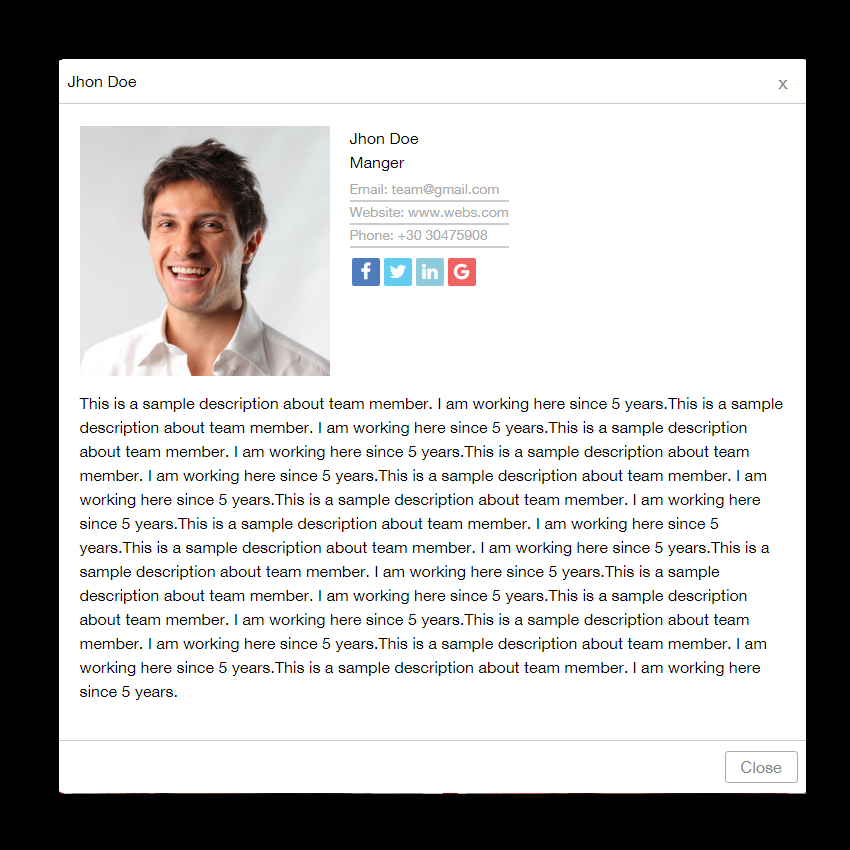
  • Option to display full description in popup

Team theme
Team theme
Team theme
Team theme
Team theme
Team theme
Team theme
member description


Price: $12
Sales: Total

43


Download Here

Flexi Social Map - display the map of your Instagram journey (Download)

Flexi Social Map – display the map of your Instagram journey


Display the Map of your Instagram journey. Map that showcases geo-tagged posts.


Create beautiful maps of your Instagram photos to share and embed on your blog or website.


With Flexi Social Map you have beautiful grid layouts that you can easily personalize through our customization tools.


Choose a map theme that matches your style.


Various skin layouts for your map so you can integrate the instagram plugin in your website. Spread the photos in a classic or remarkable form and let your UGC be a conversation starter!


  • Map simple feed layout

  • Map with slider feed layout

  • Classic skin map

  • Yellow skin map

  • Standard google maps

  • Silver skin map

  • Retro skin map

  • Dark skin map

  • Night skin map

  • Aubergine skin map

Easy from the start


With our step-by-step guide few clicks and it is done, the social wall you want. With our simple and easy instagram WP plugin you save precious time. Just follow us.


REAL-TIME CONFIGURATIONS


Edit and customize map instagram feed as you wish. You will see your changes in real time with our super friendly admin panel, simple and intuitive.


MODERATE AND SLEEP WELL


With our moderation feature you are in control with what content appears on your Instagram social map, so you don’t have nightmares regarding the inappropriate content.
By simply using toggle button you can accept or reject Instagram posts.


Lifetime updates


Free lifetime updates to anyone who bought license!


Instagram API Support


Our API support can prevent a lot of wasted time. It only requires simple authentication.
One click on Connect Instagram button and you get access token in order communicate with the official Instagram
API.

Hashtag Support
Profile Instagram Support
Likes Support


Support


Wherever you go, whatever you do, we’ll always be here, supporting you. Therefore we are where our clients need us to be. If you need our support please don`t hesitate to contact us.

Humanize your brand. Use this social media aggregator to stay connected to your customers.


Check demo for Instagram WP plugin


Price: $20
Sales: Total

22


Download Here

Thursday, July 26, 2018

Simple 3D Carousel Wordpress Plugin (Download)


Simple 3D Carousel WP Plugin is a image carousel slider WP plugin that allows to display normal images (jpg or jpeg) or images with transparency (png) with an unique original layout from a 3D perspective. It’s perfect for any kind of presentation, for anyone that wants to deliver a great impact to thier visitors. It runs on all major browsers and mobile devices like iPhone, iPad, IOS, Android and Windows. When a thumbnail is clicked you can choose to do nothing or open a new web page. Simple 3D Carousel WP Plugin has high performance using OOP code and the latest CSS techniques, ready for mobile with swipe, very flexible, easy to setup and extremely customizable.


Responsive / Fluid layout with autoscale function.


Mobile and desktop optimized.


Scroll and/or drag and swipe functions for the desktop and mobile devices.


Mouse Wheel support – navigation with mouse wheel scrolling.


Keyboard support – the left and right arrows can be used for navigation through the thumbnails.


Optional Categories Menu.


Support for unlimited categories and each category can have any number of thumbnails.


The option to start at a specific category.


Customizable thumbnails size and topology geometry.


Customizable / optional reflection for the thumbnails.


Shortcode generator.


Customizable description text for the center thumbnail.


Custom action for the thumbnail click. When a thumbnail is clicked you can choose to do nothing or open a new web page.


Powerful API included.


You can include multiple instances on the same page.


Slideshow with autoplay and customizable slideshow delay.


Customizable color theme.


Easy to install and add in any webpage.


Detailed documentation and examples files.


Powerful API included.


Tones of other features.


VIDEO TUTORIAL HERE


Price: $28
Sales: Total

Download Here

WooCommerce Product Slider & Carousel Plugin (Download)

WooCommerce Product slider plugin enables you to add fascinating product carousels anywhere on your eCommerce website using a short code. Bring your top-notch store items by adding them to the sliders and displaying them on any pages.


Filter products to be added in slider and customize slider settings, layout & theme. Customize the slider elements like price, add to cart, navigation buttons, etc.


  • Create Multiple Product Sliders to Highlight Store Items

  • Display Specific Products and Categories in Slider

  • Create Short-codes to Display Sliders on any Page

  • Set Slider to Auto-play or let the Users Play it Manually

  • Display Products in an order. Sort them by Id, Name, Price, Sales, etc.

  • Customize Slider such as time interval, pagination speed, Loop/Rewind, etc.

  • Product Slider is Fully Responsive

Auto-Play Slider to Display Products One after Another


With woocommerce product thumbnail slider, you can enable slider auto-play options that perfectly display and move products with a moderate speed. Configure slide speed and auto-play interval timeout. Enable pausing slider auto-play on hover for the ease of users.


Create Multiple Product Sliders For Your Store Items


WooCommerce Product slider plugin allows you to add numerous sliders to your online store to highlight store items. Create a slider, copy its short code, and paste it to any page where you want to display the slider.


Display Specific Products and Categories in a Slider


Selecting a category will add all of its products to the slider, whereas adding products one by one will allow you to display products you want to highlight. Add specific products to bring the most demanding store items to the forefront.


Embed WooComemrce Product Sliders into Any pages


Brilliantly embed a product slider to any pages by copying a shortcode. The product slider grid at the backend displays all created product sliders with their shortcode. Copy it to any page and the Woocommerce product slider will show up accordingly.


Customize Price tab, Navigation, Add to Cart button


WooCommerce Product slider and carousel plugin allow numerous customization options of the slider elements. You can personalize the font size, color, and alignment of price, labels, excerpt, add to cart button, and navigation buttons.


Custom Style Your WooCommerce Sliders


Product slider is programmed with an amazing layout to enable complete personalization. You can create your own style or choose from existing layout / themes for your slider.


WooCommerce Product Carousel plugin is a responsive tool that molds to the varying screens sizes of the consumer devices. Furthermore, you can configure the display of products in each slider with respect to a screen size that includes, extra large, large, medium, small, and extra small.


See What Customers Says About Our Products


  • Configure Pagination speed

  • Set the slider on loop or rewind

  • Enable or disable mouse drag

  • Touch drag yes/no

  • Show dot for each slider item


Price: $19
Sales: Total

7


Download Here

Gumb Slider - Responsive jQuery Image Gallery for WordPress (Download)

Gumb Slider allows you to create your own professional slider, responsive layout and touch support for mobile devices. It’s focused on performance, stability, accessibility to providing best experience for use with any device.


Gumb Slider: WP Plugin | Standalone Plugin


Slider Features


  Gumb slider is elastic for all screen sizes.

  Touch-swipe navigation enabled (ability to disable).

  YouTube, Vimeo, HTML5 videos in slides.

  Deep-linking – link to specific slide from URL.

  Full-screen mode. Ability to enable|disable large images in fullscreen mode.

  Slide or Fade transition for slides.

  Lazy Loading – loads nearby images in background, so users don’t need to wait each time and images are available instantly.

  The slide orientation can be set to vertical or horizontal. Also you can control the position of thumbnails to: right, left, top, bottom.

  Slider can be put inside a popup.

  Any HTML content can be placed inside slide.

  Adjust slider dimensions – you can configure dimension of slider depending by screen sizes.

  Keyboard Shortcuts – It’s possible to navigate through slides using the keyboard. (right, left, up, down).

  Enforce Slider Dimension – you can set to expand slider automatically by window height or window width.

  Compatible with all major browsers (including IE7 to IE9, Chrome, Firefox, Safari and Opera)

  Set start slide index and spacing between slides.

  Customizable interface (add/remove arrows, pagination, thumbnails).

  Slides spacing is customizable.

  Adjustable speed, transition and easing for each caption or slide.

   Powerful JavaScript API – You can control the slider programmatically.

   Full Width and Full Window. – You can set the slider to automatically expand itself to the full width or full size of the browser window.

  Animated Layers. – Layers can contain any HMTL content, from simple text to videos.

  Lazy Loading – It’s possible to load the images only when they become visible, thus increasing the loading speed and saving bandwidth.

  Slides with a speed of swipe.

  Animated HTML captions with custom effects (fade, move top, move right, left, bottom).

  Animated HTML captions with custom effects (fade, move top, move right, left, bottom).

  Retina-enabled – The slider allows you to specify a retina version for each image.

  Full-screen – GumbSlider can enter the full-screen mode in browsers that support the HMTL5 Full Screen API.

  Auto slideshow with optional pause on hover.

  Callbacks (go to slide, autoplay, video stop, video play e.t.c.).

  Auto Height – Optionally, the slider height can expend depending on the height of the current slide.

  Custom scale mode for all layers depending on screen size.

  Photoshop (.psd) file of skin included.

  FREE UPDATES.
  • and more features in demo


Price: $20
Sales: Total

4


Download Here